Enter text

Paste plain text or upload TXT/DOCX and we will turn it into a mind map.

Remaining today 3/3
0/40000

UTF-8 TXT or DOCX, up to 40,000 extracted characters

Template guide

Put options, conditions, and possible outcomes on one decision tree

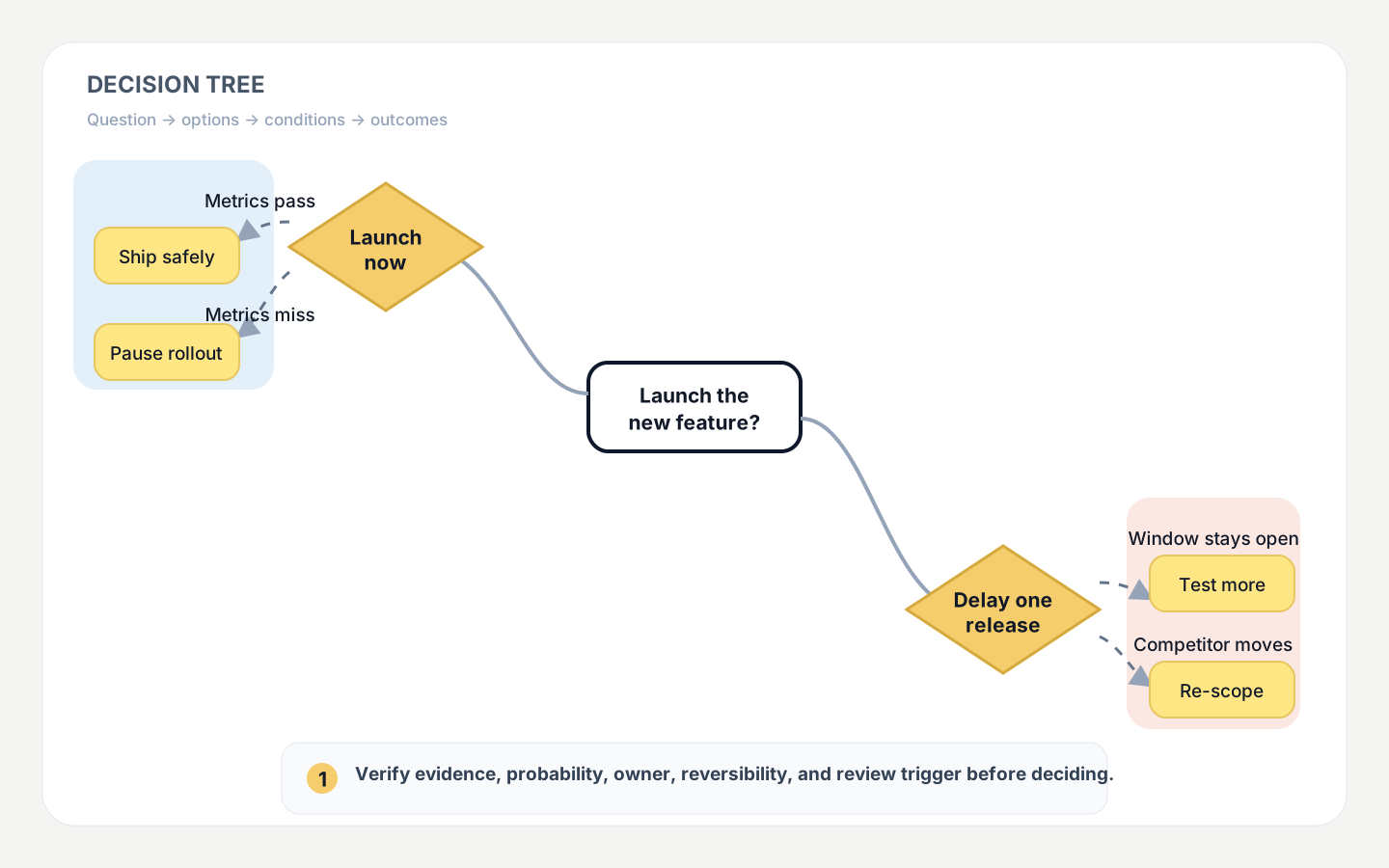
This template is based on the parsed structure of an XMind Gallery decision-tree file. It keeps the source semantics: a root question, diamond-shaped options or follow-up decisions, condition or probability branches, and outcome leaves grouped by path.

Use it when the source contains a clear question and at least two real alternatives. AI can organize stated assumptions and outcomes, but probabilities, costs, and irreversible consequences still require human verification.

What is a decision-tree mind map?

It breaks one question into comparable paths, showing options, conditions, probabilities, risks, and outcomes.

Why use paths instead of a pros-and-cons list?

Paths reveal which condition leads to which result and expose missing data, irreversible steps, and branches that should be pruned.
See the transformation

From a messy trade-off list to reviewable decision paths

Before: scattered options and concerns

Product decision: launch the feature this quarter?

  • Launch now to capture the market window
  • Condition: core metrics pass the staged rollout
  • Risk: quality issues may raise support costs
  • Delay one release for reliability testing
  • Compare time cost, probability, and reversibility

After: structured decision tree

Decision Tree Mind Map Template

How to build your mind map

How to create a decision-tree mind map

Use the same four-stage workflow as the other templates: prepare, generate, verify, then preview and export.

  1. 01

    Define the question and options

    State the decision and goal, then list at least two feasible alternatives at the same level.

  2. 02

    Add conditions, probabilities, and outcomes

    For each option, record triggers, evidence-backed probabilities, costs, risks, reversibility, and possible results.

  3. 03

    Generate and verify every path

    Paste text or upload TXT/DOCX, then confirm that option nodes, condition branches, and outcome leaves are correctly connected.

  4. 04

    Preview, export, and record the decision

    Preview or export the XMind file, then note the owner, evidence, date, and review triggers beside the final decision.

Who it’s for

Who it is for and when to use it

Choose this template when the task contains alternatives, conditions, or scenarios.

Who benefits?

Product managers, founders, project leads, operators, job seekers, students, and teams that need to explain trade-offs.

When should it be used?

For launches, vendor selection, career moves, budget options, risk plans, and scenario analysis. Use the horizontal template for ordinary long-form summaries.

Practical guidance

Practical guidance for useful decision trees

Top-level options should be distinct and feasible. Use the next level for conditions, probabilities, or stages, and reserve the final level for outcomes. Keep infeasible options only when a visible pruned path explains why they were rejected.

Probabilities should come from data, experiments, or history. Mark estimates clearly. For legal, medical, safety, or major financial decisions, the map organizes information but does not replace professional judgment.

Frequently asked questions

Decision-tree mind map FAQ

Do I need probabilities?

No. Use conditions, risk levels, or scenario names when reliable probabilities are unavailable, and label estimates clearly.

Will the template choose the best option?

No. It structures your evidence and paths; the final decision still depends on goals, constraints, data, and accountable owners.

Can it represent multi-stage decisions?

Yes, up to four stable levels. Split deeper decisions into a main tree and one or more subtrees.

Which files can I upload?

Paste text or upload UTF-8 TXT and standard DOCX. PDF, images, old DOC files, and scans are not supported.